From CAD to CNC in seconds, not hours
Pull a sheet-goods design from Onshape, SketchUp, or Fusion 360 — CloudCut writes the toolpaths, nests the parts, and dials in feeds & speeds automatically. The slow, mistake-prone CAM work between your design and the cut, gone.
Rolling invites · no install · runs in your browser · made by humans


 CloudCut
Processing
CloudCut
CloudCut
Processing
CloudCut
Every toolpath, written for you
Profiles, adaptive clearing, pockets, boring, drilling — plus the fiddly, easy-to-forget stuff like tabs and dog bones — generated automatically from your geometry. No operations to set up. Nothing to miss.
Hover a toolpath to watch it cut
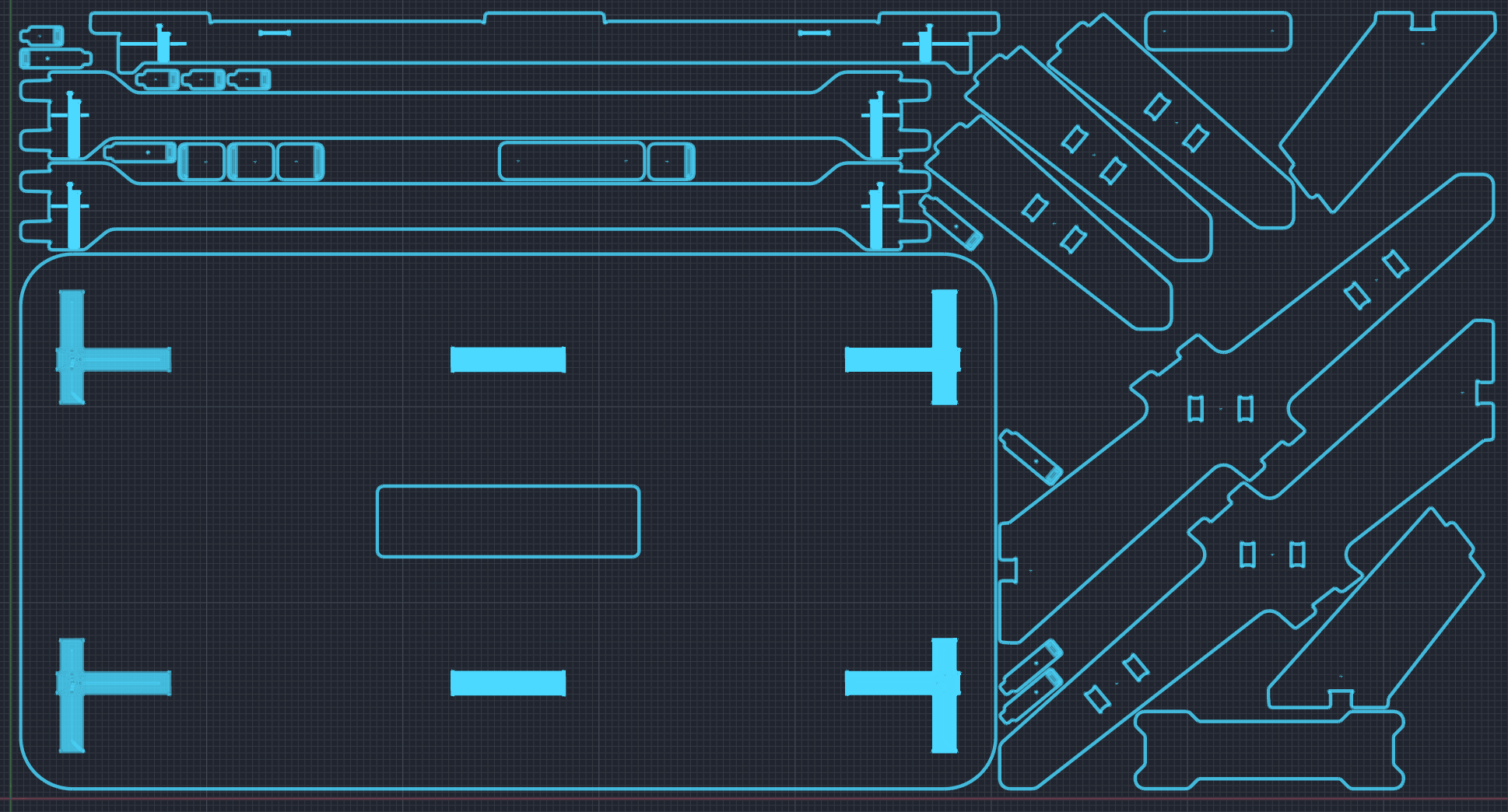
Fit more parts on every sheet
CloudCut nests the real geometry of your parts — curves, angles, cutouts and all — not their bounding boxes. Parts rotate and interlock to pack tight, so you buy less material and throw away less of it.
- True-shape packing — irregular and curved parts settle into each other’s negative space.
- Grain-aware rotation — lock parts to grain direction where it matters, free-rotate where it doesn’t.
- Multi-sheet, live yield — overflow flows onto the next sheet automatically with a running material-usage number.
Cutting parameters, already dialed in
Pick your material and tool — CloudCut sets spindle speed, feed, plunge, stepover, depth of cut and chipload from a library tuned for sheet goods. No more guessing, no more scorched edges or snapped bits.
- Plywood, MDF, melamine, hardwoods, acrylics, HDPE, aluminum composite and more.
- Matched to your exact bit — flute count, diameter, and coating.
- Save your own shop-proven recipes and reuse them on every job.
What used to take an afternoon now takes one click
Traditional CAM means re-importing geometry, rebuilding every operation, hand-dialing speeds and feeds, placing tabs one by one, and posting code — then doing it all again on the next revision. Every step is a chance to scrap a sheet.
Revised the model? Re-import it and CloudCut rebuilds the entire job — toolpaths, nesting, tabs, and feeds & speeds — in seconds. The next change order stops being something to dread.
Request an invite →About the private beta
Why is CloudCut invite-only right now?+
We’re onboarding shops in small batches so we can tune toolpath output against real machines and materials before opening the doors. Every invite gets hands-on support.
When will it open up?+
We send invites on a rolling basis. Join the list and we’ll reach out as capacity opens for your CAD tool and machine.
What will it cost?+
Usage-based, with a spending cap you control — no subscription. The beta is free, and beta members lock in early-access pricing when we launch paid plans.
Which CAD tools and machines are supported?+
Onshape, SketchUp, and Fusion 360 today, with more sources coming. Output posts to 800+ CNC routers.
Do I need to install anything?+
CloudCut itself runs entirely in your browser — no install. Each CAD tool connects through its own exporter add-on: the SketchUp and Fusion 360 exporters are quick downloads, while Onshape connects in the cloud with nothing to install.
Request your invite
Bring your Onshape, SketchUp, or Fusion model. Leave with nested, machine-ready G-code. Join 1,200+ makers already on the list.